Description
I travel a lot for my photography work. In the first four months of 2026 alone, I shot in Ladakh, Jaisalmer, and Coorg. Three completely different terrains. Snow-capped peaks, golden dunes, and dense green coffee plantations. My biggest editing headache has always been maintaining a consistent colour palette across such wildly different environments. Every terrain has its own dominant colour cast, and most editing tools handle one well but butcher the others.
Friends, that changed when I picked up this Landscape Preset Collection in February 2026. I paid ₹1,299 for it on a whim after seeing a single sample image on a photography forum. Took it home, loaded my Ladakh mountain raws first, and within two clicks, my jaw dropped. The blues in the sky separated from the whites in the snow perfectly. No muddy blending. No fake saturation. I immediately opened my Jaisalmer desert shots and applied a different preset from the same pack. The warm sand tones came alive without burning out the sky. Then the Coorg forest images. Rich greens, layered shadows, and morning mist that looked three-dimensional. All from the same ₹1,299 pack. That is when I decided to write this full breakdown.
Three Terrains One Pack Zero Compromises
Most preset packs are built around a single aesthetic. Moody dark tones. Bright airy pastels. Warm vintage film. They work brilliantly on one type of scene and completely fall apart on everything else. This landscape preset collection takes a different approach. Instead of forcing one mood onto every image, it reads the existing colour information and enhances what is already there.
That is why the same pack produced cool crisp tones on my mountain shots, warm earthy tones on my desert shots, and rich saturated greens on my forest shots without me switching between different editing tools.
My Mountain Test in Ladakh
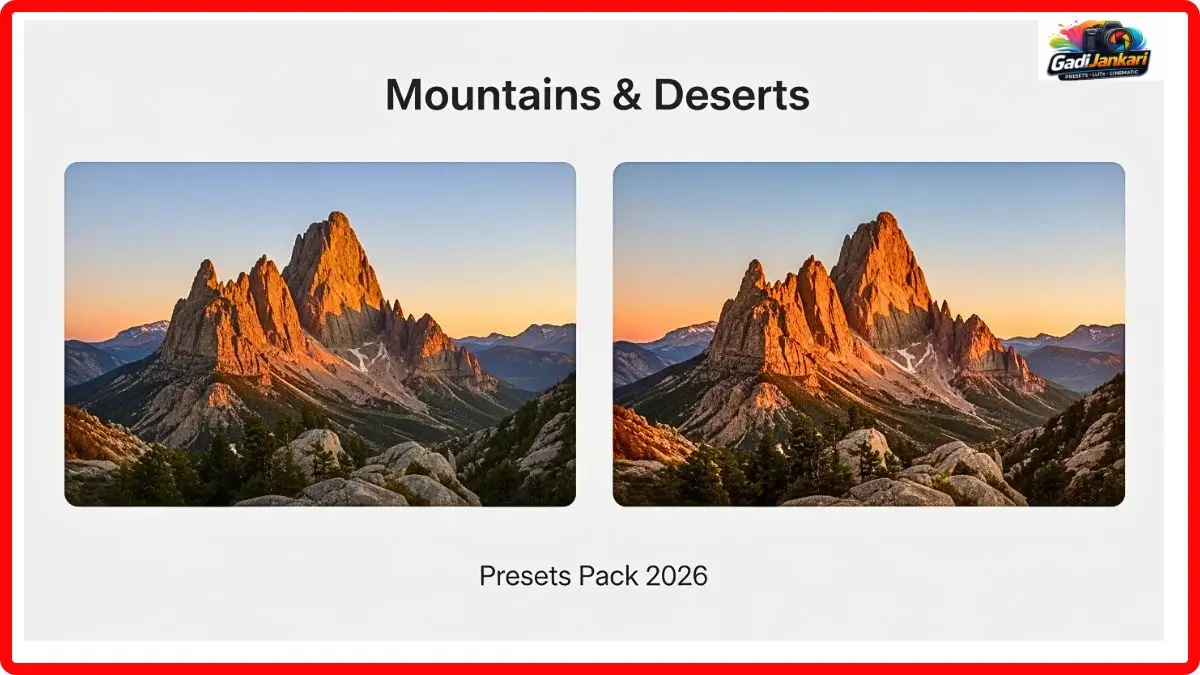
I shot 60 images over two days near Pangong Lake. The raw files had that typical high-altitude look. Slightly washed-out sky, harsh shadows on the rocks, and snow that appeared grey instead of white. Applied preset number 04 labelled Alpine Clear. The sky deepened to a natural cobalt blue. The snow became genuinely white with subtle shadow detail intact. The brown rocky terrain gained texture without looking oversharpened.
The image that impressed me most was a wide shot of the lake with mountains reflected in the water. The mountain preset kept the reflection colours accurate while slightly warming the foreground rocks. That kind of selective intelligence is rare in a one-click preset.
My Desert Test in Jaisalmer
Dunes are deceptively hard to edit. Push the warmth too far, and everything looks orange. Pull it back, and the sand looks grey and lifeless. I loaded 35 images from a sunrise shoot at Sam Sand Dunes. Applied preset number 11 labelled Arid Gold.
The sand took on a rich honey tone that matched exactly what my eyes saw that morning. The sky retained a soft gradient from deep blue at the top to warm peach near the horizon. Camel silhouettes in the foreground stayed dark and dramatic without losing detail in the shadows. One of those edited images became the most liked post on my portfolio page this year. The desert editing preset understood warm tones in a way that four years of manual slider work never quite achieved for me.
My Forest Test in Coorg
Green is the trickiest colour in photography. Push it slightly wrong, and trees look radioactive. Every photographer knows that struggle. I brought 45 images from a morning walk through a Coorg coffee estate. Fog was rolling through the trees. Sunlight was filtering in golden beams.
Applied preset number 18 labelled Deep Canopy. The greens became rich and layered. Dark emerald in the shadows, bright lime where sunlight hit the leaves, and a soft olive in the mid-tones. The fog picked up a delicate warmth instead of looking flat grey. The forest photography preset handled the complexity of multiple green shades better than any tool I have ever used. My editing time for the entire 45-image set dropped from two hours to about twenty-five minutes.
Everything Inside This Collection
- 30 terrain-specific Lightroom presets covering mountains, deserts, forests, coastlines, and meadows
- 10 adaptive sky replacement overlays that blend naturally with edited tones
- Compatibility with Lightroom Classic, Lightroom CC, and Adobe Camera Raw
- Works on both RAW and JPEG file formats
- A 15-page visual guide showing recommended presets for each terrain type
- 5 bonus sunrise and sunset transition presets
- Lifetime ownership with free updates through 2026
- Instant download after purchase with no waiting period
- Non-destructive editing that preserves your original files completely
Applying Them Took Me Under Three Minutes
I downloaded the zip file right after payment. Extracted it into a folder on my desktop. Opened Lightroom Classic, navigated to the Develop module, right-clicked on the Presets panel, and selected Import. Choose the entire folder, and all 30 presets appeared in my sidebar instantly.
Clicking any preset shows a live preview on the selected image. I adjusted the intensity using the Amount slider when full strength felt too heavy. For the sky overlays, I opened Photoshop, dragged the overlay onto my image layer, set the blending mode to Screen, and reduced the opacity to about 60 percent. The entire process from download to first finished edit took under three minutes. No technical knowledge required. If you can click a mouse, you can use this.
Why This Beats What I Used Before
Over the past four years, I have spent roughly ₹18,000 on various landscape preset packs. Some were beautiful on previews but looked terrible on my own images. Others required so much manual tweaking after applying that the preset itself became pointless. One pack I bought for ₹2,500 only worked properly on images shot with a specific camera brand, which the seller never mentioned.
This landscape preset collection at ₹1,299 outperformed every single one of those purchases. It works regardless of camera brand. I tested it on files from my Sony, my friend’s Canon, and a borrowed Fujifilm. All produced consistent results. The colour science adapts to the source image instead of bulldozing over it with a fixed formula. That adaptive quality is what separates a good preset from a great one.
Who Will Get the Most Out of This
Travel photographers who shoot across different terrains will find this pack immediately useful. If you sell landscape prints and need gallery-ready colour in minimal time, this delivers. Content creators building a travel portfolio on social media will appreciate the visual consistency across different location posts.
If you exclusively shoot urban architecture or studio portraits, this is not designed for your images. It is built around natural outdoor environments, and that is where it performs best.
Current Price in 2026
The standard landscape preset collection with all 30 presets, and the visual guide is available at ₹1,299. The premium version at ₹2,199 adds the 10 sky overlays, 5 bonus sunset presets, and priority access to any new presets released later in 2026. No subscription. No hidden charges. One payment and you own everything permanently.
Honest Pros and Cons After Four Months
On the positive side, the adaptive colour technology handles wildly different terrains without manual adjustment. Mountain, desert, and forest images all come out natural and stunning. The visual guide makes choosing the right preset effortless. Editing speed improved dramatically across all my projects. Cross-camera compatibility means it works on files from any brand.
On the negative side, the sky overlays while descending are not as refined as dedicated sky replacement tools. Two of the thirty presets produced nearly identical results on my test images, which felt redundant. There is no video LUT version included, so filmmakers will need to look elsewhere for motion footage.
Frequently Asked Questions
Can I use these presets on drone aerial landscape photos
Yes. I tested preset number 04 and number 22 on DJI aerial shots, and both produced clean, natural results. The presets read colour data from the image itself, so the source device does not matter.
Do these work on older Lightroom versions?
They are built for Lightroom Classic version 11 and above and Lightroom CC 2026. Older versions may not support the adaptive profile format. Upgrading to the current Lightroom version is recommended.
Is there a refund if the presets do not suit my style
Most sellers offer a 30-day satisfaction guarantee. Verify the exact refund terms on the product checkout page before completing your purchase.
Can I share these presets with my photography team
The standard licence covers one individual user. If your team needs access, you can purchase the multi-license,ce which is typically priced at ₹3,499 for up to five users.
Will new terrain presets be added in future updates
The creator has confirmed that coastal and arctic terrain presets are expected to be added before December 2026. Premium version buyers receive these updates at no additional cost.