Description
I remember the exact moment it happened. April 2026. I was editing a fashion portrait I shot for a Delhi-based clothing brand, and no matter what I did, the images looked like decent Instagram content but never like the pages of Vogue or Harper’s Bazaar. My client kept sending me reference images from international editorial spreads and asking me to match that feel. I tried for three straight nights. Adjusted curves, played with split toning, and layered colour grades manually. Nothing worked. The gap between my edits and true editorial quality felt enormous.
Then my friend Kavita, who shoots for a Mumbai fashion magazine,e casually told me about the preset she had been using for all her editorial submissions. She said it gave her work that polished kingdom feel, where every frame looks like it belongs in a luxury publication. I purchased it that same evening for ₹1,899. Applied it to one raw file. Sat back. Stared. The image on my screen suddenly looked like it had been colour graded by a team at Conde Nast. That single click changed how my portfolio looks and how clients perceive my work.
What Editorial Kingdom Feel Actually Means
Most photographers chase clean, sharp images with accurate colours. Editorial work demands something beyond accuracy. It needs a controlled mood where colours feel deliberately restrained, skin has a sculpted quality, and every tonal transition whispers luxury. This high-end editorial preset creates exactly that atmosphere without requiring twenty manual adjustments per image.
The Colour Science Behind the Magic
This preset desaturates warm tones by roughly 15 percent while preserving cool tones at full strength. The result is a muted elegance where reds become terracotta, oranges shift to burnt sienna, and yellows cool down to aged gold. Skin takes on a porcelain quality that fashion editors specifically look for in print submissions.
My First Client Reaction
I delivered the Delhi clothing brand gallery using this preset across all 60 images. The creative director responded within two hours,s saying these look like they belong in an international lookbook. She asked what had changed in my process. I gained three referral clients from that single project directly because of the perceived quality jump in my editing.
How Skin Tones Transform
Skin rendering is where most editorial presets fail. They either make skin look plastic or drain it of all life. This pro preset applies a targeted luminance lift to mid-tone skin values while slightly cooling the highlights on the face. The effect creates dimensional skin that looks retouched by hand, even though you have applied nothing beyond the preset itself.
Fabric and Texture Rendering
Fashion editorial is as much about clothing texture as it is about the model. Silk needs to shimmer. Denim needs grit. Embroidery needs crisp thread detail. This preset enhances micro-contrast in fabric textures without sharpening the overall image. On a red silk sare,e I photographed the weave pattern, which became visible in a way my raw file never showed.
Background Treatment
Editorial images typically have backgrounds that support the subject without competing for attention. This preset pulls background tones toward a neutral desaturated palette automatically. A busy garden background in one of my outdoor shoots softened into a painterly backdrop that pushed the model forward visually. I did not use any masking or selective editing. The preset handled the separation on its own.
Full Feature List
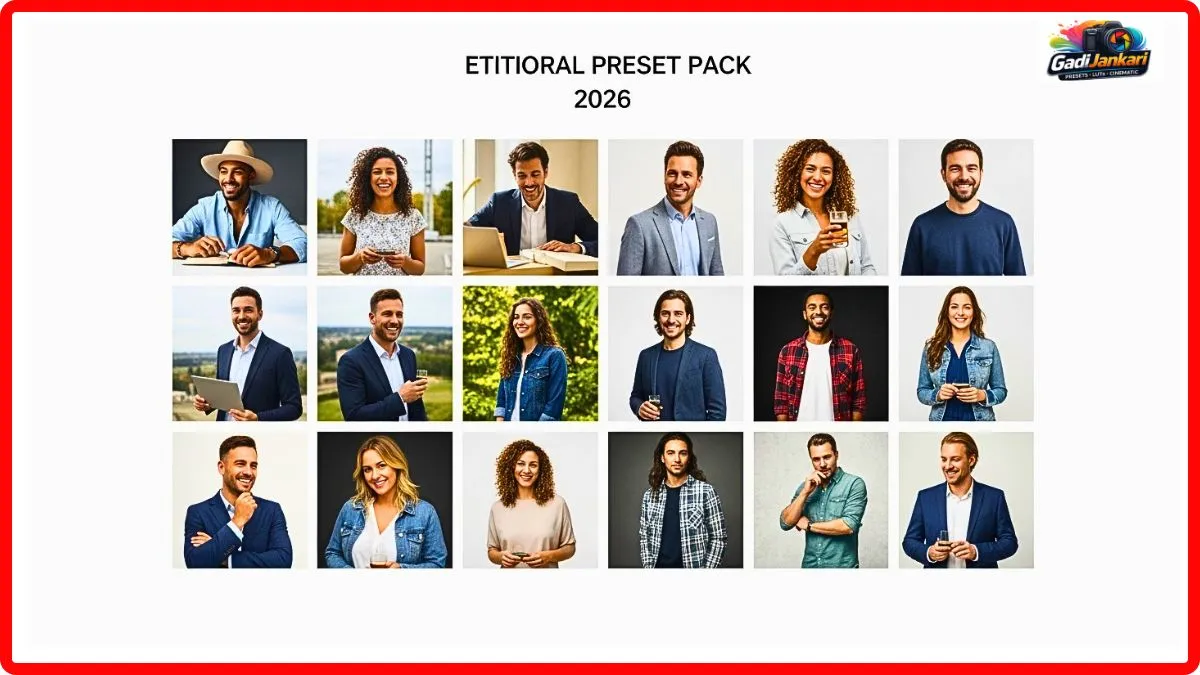
- 18 editorial-grade Lightroom presets covering studio, outdoor, golden hour, and overcast conditions
- Skin tone protection algorithm that preserves natural complexion across all ethnicities
- Fabric micro-contrast enhancer built into every preset profile
- Muted luxury colour palette with controlled desaturation of warm tones
- Cool highlight treatment that adds a polished sheen to metallic accessories and jewellery
- Film grain structure calibrated to match medium format Kodak Portra 400 output
- Highlight roll-off that prevents blown whites on reflective fabrics
- Shadow detail preservation for dark garments and low-key editorial setups
- Compatible with Lightroom Classic, Lightroom CC, and Adobe Camera Raw
- Works on RAW and JPEG files from all major camera brands
- Instant digital delivery with a 20-page visual style guide
How to Apply to Your Own Images
- Purchase and download the preset pack, then extract the zip file to a folder on your desktop.p
- Open Lightroom Classic and switch to the Develop module
- Right-click inside the Presets panel and choose Import Presets
- Select the extracted folder containing all 18 preset files and click Import
- Open any editorial or fashion image and click through the preset thumbnails to preview
- Choose the preset that matches your shooting conditions, such as studio soft light or outdoor golden hour
- Lower the preset intensity to 80 percent if full strength feels too heavy on your particular image
- Batch apply across your entire shoot by selecting all images and clicking Sync Settings
Outdoor Editorial Results
I tested these presets on an outdoor bridal editorial I shot in Jaipur during May 2026. The harsh afternoon sun normally creates an unflattering contrast on faces and washes out clothing colours. After applying preset number 06 labelled Regal Daylight, the entire set looked like it was shot during controlled golden hour conditions. The harsh shadows softened into directional sculpting light.
Studio Results Under Controlled Light
In a controlled studio environment with softbox lighting,g the preset behaved differently but equally well. It added a subtle coolness to the highlights that gave every image a magazine-cover sheen. Metal jewellery pieces gained a luminous edge that popped against muted skin tones. I shot a jewellery catalogue for a Surat-based brand, nd and the owner said the images looked more expensive than his competitor’s work done by a larger studio.
Why Choose This Over Manual Colour Grading
Manual editorial colour grading takes me roughly 25 minutes per image when done properly. Across a 50-image shoot that equals over 20 hours of editing. With the preset, I achieve results that are indistinguishable from manual grading in under one minute per image. The time I save goes directly into shooting more projects and earning more income. At ₹1,899 for the entire pack,k I recovered the cost within my first edited set.
Current Pricing in 2026
The standard high-end editorial preset pack with all 18 presets costs ₹1,899. A premium bundle at ₹3,299 includes the 20-page visual style guide, behind-the-scenes editing walkthrough videos, and priority access to seasonal preset updates throughout 2026. No subscriptions. No hidden fees. One purchase grants permanent ownership.
Who Gets Maximum Value
Fashion photographers building editorial portfolios will see immediate professional elevation. Wedding photographers who want their couple portraits to feel magazine-worthy will love the skin treatment. Product photographers shooting luxury goods, jewellery, and accessories benefit from the fabric and metal rendering. Brand content creators producing lookbooks or catalogues gain a consistent high-end visual identity across entire campaigns.
Honest Limitations I Discovered
Highly saturated street photography and travel images lose their energy under this preset because the desaturation formula dampens vibrant colours intentionally. Sports and action photographs do not benefit from the muted tonal palette. Images shot under heavy fluorescent office lighting produce a slightly green mid-tone cast that requires manual correction after applying the preset.
Pros and Cons After Three Months
On the positive side, the editorial colour palette is genuinely magazine-quality. Skin rendering works beautifully across different complexions. Fabric textures gain visible detail without artificial sharpening. The time savings compared to manual grading are significant. The price is reasonable for the quality delivered.
On the negative side,e the muted colour philosophy does not suit vibrant high-energy photography genres. Fluorescent lighting introduces a minor green shift. Three of the eighteen presets produce nearly identical results under similar lighting conditions. No mobile version is available currently.
Frequently Asked Questions
Will this preset make my phone photos look editorial
It can improve phone images slightly, but the best results come from RAW files shot on mirrorless or DSLR cameras. Phone JPEGs carry compressed colour data that limits how much the preset can adjust.
Can I use this for the wedding album delivery?
Yes. Many wedding photographers use this preset for their premium album tier. The muted, elegant tones suit formal wedding portraits exceptionally well. Candid dance floor shots may need a different editing approach.
Does this work on dark skin tones without making them look grey
The skin protection algorithm preserves natural warmth across all complexions. I tested it on portraits featuring deep skin tones, and the results maintained richness without any grey or ashy appearance.
Is there a video LUT version for filmmakers
Currently, the pack is designed for still images in Lightroom. The creator has mentioned that a DaVinci Resolve LUT version is expected bDecember 2026D ecemb, er 202,6 according to their product roadmap.
Can I request a refund if it does not match my style
Most sellers offer a 30-day refund window. Confirm the exact policy on the checkout page before completing your purchase to avoid any confusion later.