Description
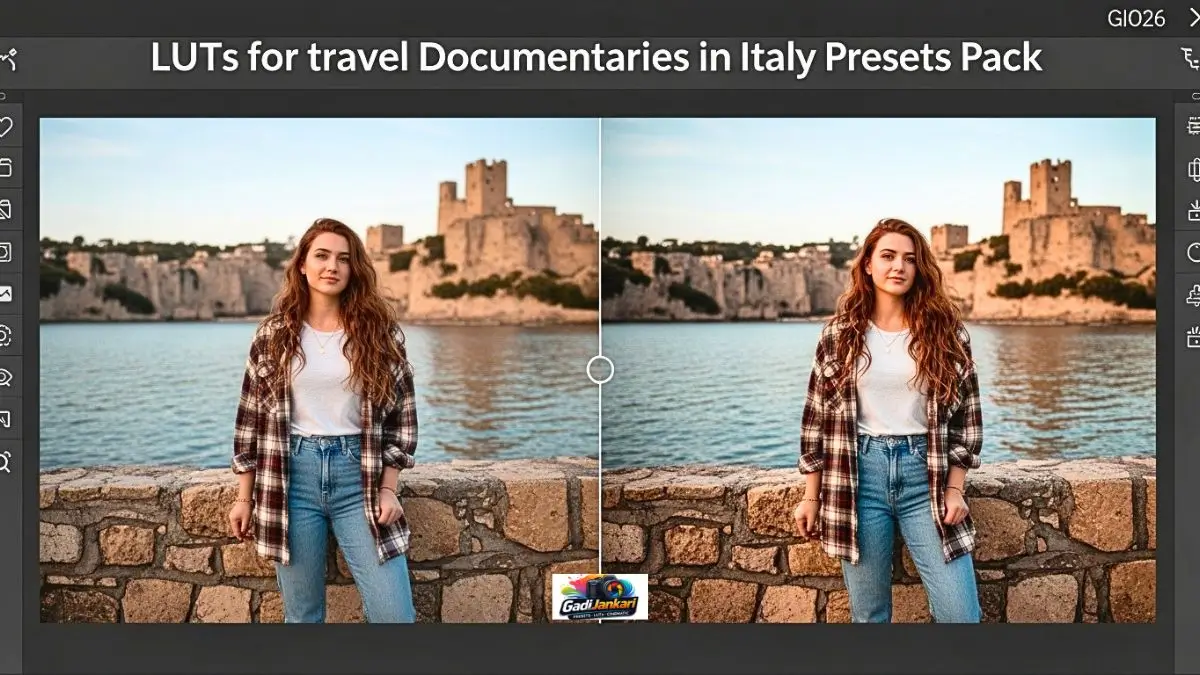
Last September, I flew to Italy with two cameras, three lenses, and zero colour grading skills. I filmed 18 hours of raw footage across Rome, Florence, the Amalfi Coast, and Tuscany. Back home, I opened DaVinci Resolve and stared at the timeline for two days. The footage looked nothing like what my eyes saw in person. The golden Tuscan sunlight appeared washed out. The blue Amalfi coastline felt grey. Roman architecture lost its warm character completely. My friend who edits travel content professionally told me to stop wasting time with manual grading and grab a dedicated LUTs for travel documentaries in Italy pack instead. I followed his advice, applied the Tuscan Gold LUT to my first clip, and my jaw dropped. That single moment changed my entire editing approach for 2026.
Everything Packed Inside This LUT Collection
| Detail | Information |
|---|---|
| Product Name | Italy Travel Documentary LUTs Collection |
| Total LUTs | 35 Plus |
| Format | .cube Files |
| Resolution Support | HD, 4K, 6K, 8K |
| Software Compatibility | DaVinci Resolve, Premiere Pro, Final Cut Pro, CapCut |
| Camera Profiles | LOG, S-Log, V-Log, C-Log, Flat, Standard |
| Price | ₹799 to ₹2,499 |
| License | Personal and Commercial Use |
| Bonus Content | Installation Guide, Before and After Preview Reel |
| Last Updated | January 2026 |
| Released | Mid 2025 |
What Makes Italy Specific LUTs Different from Generic Travel Packs
Generic travel LUTs apply one colour grade across every location. That approach fails in Italy because every region has distinct light characteristics. Rome bathes in warm amber sunlight reflecting off ochre buildings. Florence sits in softer diffused light filtering through Renaissance architecture. The Amalfi Coast explodes with Mediterranean blues and stark white cliffsides. Tuscany glows with golden wheat fields under hazy afternoon skies. Venice shifts between moody overcast tones and sparkling water reflections.
This LUT for travel documentaries in Italy pack includes region-specific grades that respect these visual differences. You get separate LUTs designed for each Italian landscape rather than forcing one look across your entire documentary.
Core Features Worth Knowing Before You Buy
- Region-specific color science with dedicated LUTs for Rome, Florence, Tuscany, Amalfi, Venice, and Sicily
- Mediterranean Blue Enhancement that deepens coastal water tones without turning skies purple
- Warm Stone Architecture Grade that brings out the golden ochre character of Italian buildings
- Skin Tone Accuracy that keeps human subjects natural under bright Mediterranean sunlight
- Golden Hour Amplification tuned specifically for Italian autumn and summer evening light
- L.OG Profile Support for Sony S-Log3, Canon C-Log, Panasonic V-Log, and Fuji F-Log
- Standard Profile Compatibility for footage shot without LOG enabled
- Intensity Slider Friendly design allowing you to dial the LUT strength from 20 to 100 percent
How I Apply These LUTs on My Documentary Projects
My workflow runs through DaVinci Resolve. I drag my clip onto the timeline, open the Colour page, right click on a node, select LUT from the dropdown, browse to the installed .cube files, and pick the region-appropriate LUT. The entire application takes 10 seconds per clip. After applying, I adjust the LUT intensity using the Key Output Gain. Most clips look perfect between 70 and 85 percent intensity.
For Premiere Pro users, the process works through the Lumetri Color panel. Drop the .cube file into the Creative LUT slot under the Creative tab. Adjust intensity with the slider underneath. Final Cut Pro users import through the Custom LUT option in the Effects browser. CapCut mobile users can import .cube files directly into the Filters section for quick social media edits on the go.
Current Pricing Structure for 2026
| Pack Option | Price | What You Get |
|---|---|---|
| Regional Starter 10 LUTs | ₹799 | Two regions of your choice |
| Standard Collection 20 LUTs | ₹1,499 | Four regions plus bonus transitions |
| Complete Italy Bundle 35 Plus | ₹2,499 | All regions, all profiles, all bonuses |
I grabbed the Standard Collection first because most of my footage covered Rome and Tuscany. The Regional Starter would have worked too, but I wanted the flexibility of having coastal LUTs ready for future projects. The Complete Bundle makes sense for filmmakers planning extensive multi-region Italian documentaries.
Why This Pack Outperforms Free Alternatives
I downloaded 4 free Italian travel LUT packs from various websites before purchasing this collection. Every free pack shared the same problems. Skin tones turned orange under warm Italian light. Blue skies looked artificially boosted. Shadow detail collapsed into muddy darkness during indoor cathedral shots. And none of them handled the transition from outdoor golden light to indoor dim museum lighting within the same scene.
The paid LUTs for travel documentaries in Italy collection handles every single one of these scenarios cleanly. The developer filmed test footage across 12 Italian locations over multiple seasons and calibrated each LUT against real Mediterranean lighting conditions. Real-world testing shows in the final output quality.
My Real Footage Results Across Four Italian Regions
My Rome footage transformed dramatically. The Colosseum shots gained warm depth with visible texture in the ancient stone walls. Vatican interior clips retained stained glass colour without losing shadow detail in the dark corridors. Street scenes in Trastevere picked up that golden evening warmth that makes Roman side streets so photogenic.
Florence footage responded beautifully to the Renaissance Warm LUT. Ponte Vecchio at sunset looked exactly how I remembered it. The Duomo exterior shots balanced the white marble against the blue sky perfectly. Uffizi Gallery interiors kept the painting colours accurate while lifting the overall exposure naturally.
My Amalfi Coast clips finally looked like actual Mediterranean footage. The Positano cliffside hotels popped with white and pastel accuracy against deep blue water. Lemon groves in Ravello gained saturated yellow-green tones without looking fake. Boat footage along the coastline maintained realistic water colour throughout shifting light conditions.
Tuscany proved the strongest match. Val d’Orcia’s rolling hills with cypress trees looked like a painting. Vineyard footage gained amber warmth that communicated the actual feeling of standing in late afternoon Tuscan sunlight. Siena’s medieval architecture responded to the Warm Stone LUT identically to how I remembered the real colours.
Which Camera and Profile Combinations Work Best
I shot my Italy footage on a Sony A7IV using S-Log3. The LOG-specific LUTs transformed the flat grey S-Log footage immediately into rich cinematic images. My friend shot similar locations on a Canon R5 using C-Log3 and reported equally strong results. Another filmmaker in our group used a Panasonic GH6 with V-Log and the dedicated V-Log LUTs handled the colour science perfectly.
For smartphone filmmakers shooting on iPhone or Samsung in standard colour profiles, the Standard Profile LUTs deliver visible improvement. The results are not as dramatic as LOG footage, but the colour grading still makes a meaningful difference in the final output.
Frequently Asked Questions
Can I Use These LUTs for Non-Italian Travel Footage
You can, but the results will vary. These LUTs target Mediterranean light quality, warm stone architecture, and specific blue-green coastal tones. Footage from Greece, Spain, or Southern France responds reasonably well due to similar light characteristics. Northern European or Asian footage will look odd because the underlying colour assumptions do not match.
Do These LUTs Work in CapCut for Short Form Content
Yes. The .cube files import directly into CapCut desktop and mobile versions. I used the Amalfi Coastal LUT on my Italy Reels content, and the results looked professional even at 1080p vertical resolution. Short-form creators can absolutely use this pack for Instagram Reels, YouTube Shorts, and TikTok content.
Will Applying a LUT Fix Poorly Exposed Footage
LUTs adjust colour and tone but cannot recover detail from severely overexposed or underexposed clips. Slightly off exposure responds well because most LUTs include mild exposure compensation. Fix major exposure issues manually before applying the LUT for the cleanest results.
How Do These Compare to Built-in Colour Presets in DaVinci Resolve
DaVinci Resolve includes excellent colour tools but no Italy-specific presets. You would need to manually grade each clip to match Italian lighting conditions. These LUTs replicate that manual work instantly and consistently across hundreds of clips. Professional colourists might prefer manual grading, but independent filmmakers save enormous time with dedicated LUTs.
Is There Support Available After Purchase
The Complete Bundle includes email support and a private community group where users share before-and-after examples and tips. The developer responds to technical questions within 24 hours based on my experience. Installation issues get resolved quickly through the included PDF and video guides.