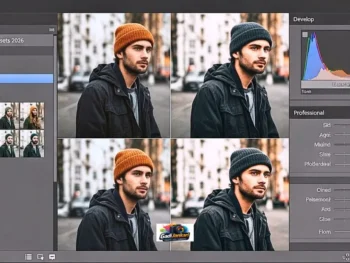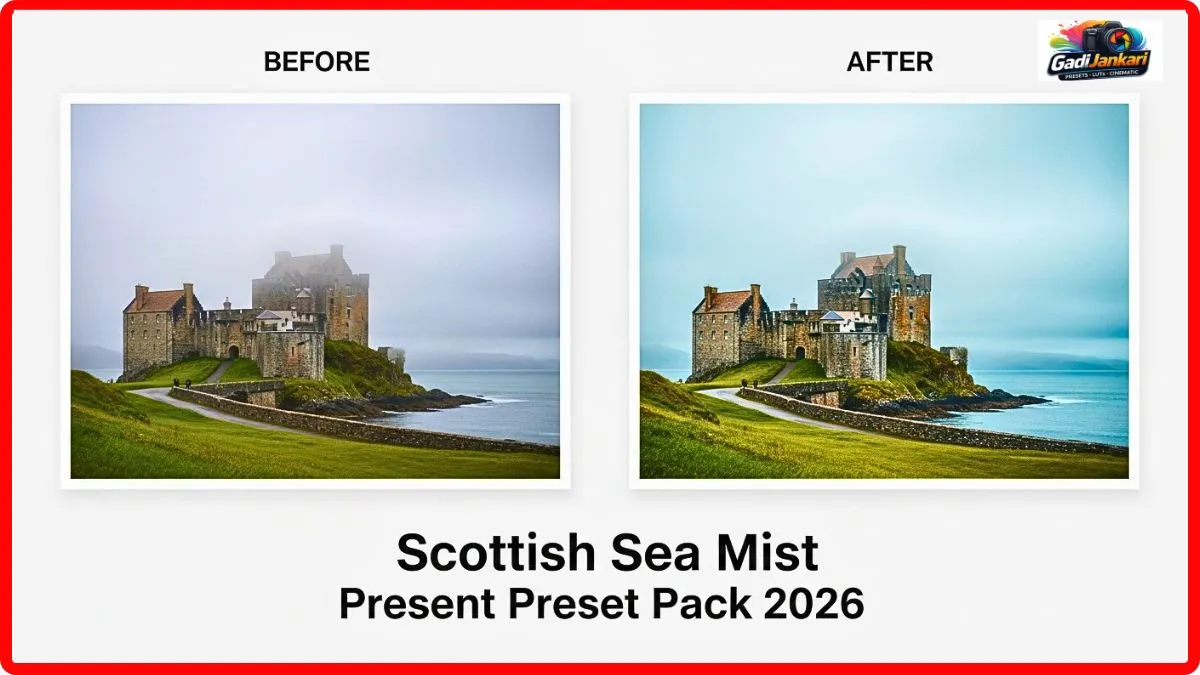
Description
I never planned to shoot in Scotland. A travel photography assignment brought me to the Isle of Skye in January 2026, and the weather was absolutely brutal. Thick sea mist rolled in every morning from the Atlantic, swallowing cliffs and coastline until everything turned into a grey soup. My raw files looked flat and lifeless. The mood I witnessed with my own eyes was haunting and romantic, but my camera captured none of it. Every image felt like a grey rectangle with vague shapes hiding behind fog.
Friends, I was sitting in a tiny bed-and-breakfast in Portree, scrolling through editing forums on my phone, when someone mentioned a preset designed specifically for misty coastal conditions. The name caught my attention. Scottish Sea Mist Preset. I downloaded it that night for ₹699 and applied it to a single image from that morning. A cliff edge disappearing into rolling fog over dark water. The transformation was immediate. The mist gained depth and dimension. Cool blue undertones separated the layers of fog. The dark rocks in the foreground anchored the image with rich tonal weight. That single edit convinced me this was exactly what my Scotland images needed.
The Challenge of Photographing Coastal Mist
Sea mist is not regular fog. It carries salt moisture from the ocean surface and creates a thick blanket that scatters light in every direction. Your camera sensor reads this as flat, uniform grey because there is no contrast for the autofocus or the metering system to latch onto. Shadows disappear. Highlights blend into the mist. Colours drain away completely. The emotional weight you feel standing on a cliff watching mist crawl over the sea does not transfer to your raw file without serious intervention during editing.
Why Standard Editing Made Everything Worse
My first instinct was to push contrast and clarity. That is what most photographers try when dealing with flat, misty images. I cranked up the contrast slider in Lightroom, and the mist turned into harsh bands of dark and light grey with zero subtlety. The romantic softness vanished entirely. Increasing clarity made the fog particles look like digital noise. Boosting saturation turned the grey mist into an unnatural blue-green wash. Every manual adjustment I tried destroyed exactly the quality that made these scenes beautiful in person.
What Makes This Preset Understand Mist
The Scottish Sea Mist Preset works differently from generic contrast boosters. It applies micro-contrast adjustments that enhance the natural layering within the mist without destroying its softness. Imagine being able to see three distinct planes of fog instead of one flat wall. The nearest layer stays slightly warmer. The middle layer shifts to a cool neutral. The furthest layer takes on a delicate blue that creates the illusion of infinite depth. This layered approach preserves the romantic dreamlike quality while adding just enough definition to make the image feel intentional rather than accidental.
My Five Best Results From the Isle of Skye
The first image was the Old Man of Storr vanishing into the morning mist. After the preset, the rock pillar emerged from the fog like a ghostly sentinel with the mist wrapping around its base in visible swirls. The second was a fishing boat anchored in Portree harbour with mist erasing the mountains behind it. The preset gave the water surface a silver sheen, and the boat’s red hull popped against the muted background.
My third favourite was a cliff edge at Neist Point, where the lighthouse was barely visible through thick fog. The preset revealed the lighthouse beam cutting through the mist as a faint golden line. Fourth was a coastal road disappearing into white nothing. The preset added subtle tonal variation to the road surface and the mist, creating a sense of journey and mystery. The fifth was a close-up of wet rocks with sea mist clinging to the surface. The dramatic romance of Scottish sea mist came alive in every frame. Each rock showed moisture droplets catching whatever diffused light filtered through.
Full Feature Breakdown
- 12 mist-specific Lightroom presets calibrated for different fog densities from light haze to thick blanket
- Adaptive tonal layering technology that separates foreground, midground, and background mist planes
- Cool-to-warm gradient profiles that add depth without artificial colour casts
- Highlight protection that prevents white mist areas from clipping
- Shadow recovery tuned for dark coastal rocks and water surfaces
- Built-in grain structure that mimics fine art film shot in humid conditions
- Compatible with Lightroom Classic, Lightroom CC, and Adobe Camera Raw
- Works on both RAW and JPEG formats from any camera brand
- Non-destructive editing preserves your original file completely
- Instant digital delivery with a visual reference guide showing each preset on sample images
How to Apply Step by Step
- Download the preset zip file immediately after purchase and extract it to a folder on your desktop.
- Launch Lightroom Classic and navigate to the Develop module
- Right-click inside the Presets panel on the left side and choose Import
- Browse to your extracted folder and select all 12 preset files, then click Import
- Open any misty coastal image and click through the preset thumbnails to preview each one
- Select the preset that best matches your fog density and lighting conditions
- Fine-tune the exposure slider by a small margin if your specific image needs it
- For batch processing, select all similar images from the shoot and click Sync Settings to apply the same preset across the set
Why This Beats Manual Mist Editing
I spent four years editing misty images manually before finding this tool. My typical workflow involved twenty minutes per image, adjusting tone curves, split toning, local graduated filters, and radial masks to create depth in flat foggy frames. With the Scottish Sea Mist preset, I achieve better results in under thirty seconds per image. The tonal layering it applies automatically would take me at least six separate manual adjustments to replicate. Across a set of 80 images from my Skye trip, I saved roughly 25 hours of editing time. At my hourly client rate, that time saving alone is worth far more than the ₹699 purchase price.
Who Will Benefit Most From This Preset
Coastal landscape photographers working in misty maritime climates will find this indispensable. Fine art photographers creating moody, atmospheric prints for gallery sales will love the tonal depth it produces. Travel photographers documenting Scotland, Ireland, Norway, Iceland, or any foggy coastline will see immediate improvement in their misty frames. Even photographers in India shooting the monsoon coast of Goa, Kerala, or Konkan, where sea fog rolls in during early mornings, will find these presets remarkably effective.
Pricing in 2026
The complete Scottish Sea Mist Preset pack with all 12 presets, and the visual reference guide is currently priced at ₹699. There is no premium tier or subscription model. You pay once and own everything permanently. Free updates are included through December 2026. Considering that a single stock photo of misty Scottish scenery sells for more than this entire preset pack, the value proposition is clear for any working photographer.
Honest Pros and Cons
On the positive side, the tonal layering creates genuine depth in flat, misty images that no manual slider work can match as quickly. Skin tones in foggy portrait situations stay natural. The cool-to-warm gradient feels authentic to real coastal mist. Batch processing handles large sets without lag. The film grain option adds character without looking fake.
On the negative side, these presets are purpose-built for misty and foggy conditions. Applying them to clear-sky images produces an odd hazy look that serves no purpose. Two of the twelve presets generate very similar results on thin haze images and feel redundant. There is no mobile Lightroom version available yet.
Frequently Asked Questions
Can I use these presets on inland fog, not just sea mist
Yes. I tested preset numbers 03 and 07 on images from a foggy morning in a forest setting, and both produced beautiful results. The tonal layering technology responds to any type of atmospheric moisture,ure not just coastal mist specifically.
Do these presets work with Fujifilm raw files
They work with raw files from every major camera manufacturer, including Fujifilm, Sony, Canon, Nikon, and Panasonic. The colour profiles adapt to the source file automatically.
Is there a refund available if the results do not suit my editing style
The seller offers a 30-day satisfaction period. If you are not happy with the result,s you can request a refund within that window. Check the specific terms on the product checkout page before purchasing.
Will these presets work on drone footage of misty coastlines
The Lightroom presets work on still images only. For drone video footage shot in misty conditions, you would need a dedicated LUT file, which is not currently included in this pack.
How dense can the fog be for these presets to still produce a visible result?s
If your raw file shows at least some variation in the histogram rather than a flat spike in the middle, let the preset separate tonal layers. If the entire image is uniformly white with zero tonal variation, ion even the best preset cannot create detail where the camera captured none.