Description
I never thought a single preset would completely change the way my garden photos look. Friends, let me take you back to a rainy Sunday morning in April 2026. I was sitting in my small balcony garden in Pune, looking at the marigolds and jasmine I had been growing for months. They looked beautiful in person, but every time I photographed them, the results felt flat and boring. The colors were dull. The mood was missing. Something was always off.
That same afternoon, I stumbled upon this garden photography preset while scrolling through a photography forum. I downloaded it, applied it to one of my marigold close-ups, and genuinely froze for a moment. The photo looked like someone had painted it with watercolors. The greens turned rich and deep. The flower petals had this soft, glowing quality. The entire image felt like it belonged in an art gallery, not on my phone camera roll. Since that day, I have used this preset on over 300 garden photos, and the results have been consistently stunning.
The Story Behind This Preset And Why It Exists
This preset was created as a sample from a premium garden and nature photography preset pack that retails for ₹1200. The creators released this one particular preset so photographers could experience the quality before committing to the full bundle. It is not a stripped-down version or a limited trial. It is a fully functional, professional-grade preset that delivers complete results on its own.
The version focuses specifically on creating that painterly fine art look on outdoor plant and flower photography. As of June 2026, it has been downloaded over 45,000 times,s and the reviews from Indian photographers have been overwhelmingly positive. I found it through a recommendation on a gardening photography group, and I am glad I trusted that suggestion.
What This Garden Preset Actually Does To Your Photos
The preset works by softening the harsh digital sharpness that phone cameras and entry-level DSLRs produce. It gently reduces clarity in a controlled way while simultaneously boosting color luminance in the green and yellow channels. This creates that dreamy painted texture without making the image look blurry or out of focus.
It also shifts the shadow tones slightly toward a warm olive hue, which mimics the underpainting technique that oil painters use. The highlights get a subtle cream tint that removes that harsh white digital look. The overall result is a photograph that genuinely resembles a hand-painted artwork. I showed my edited photos to my neighbor, who is an actual watercolor artist,t and she asked me which painting app I used. That reaction alone told me this preset was doing something special.
My Before And After Experience With Real Garden Shots
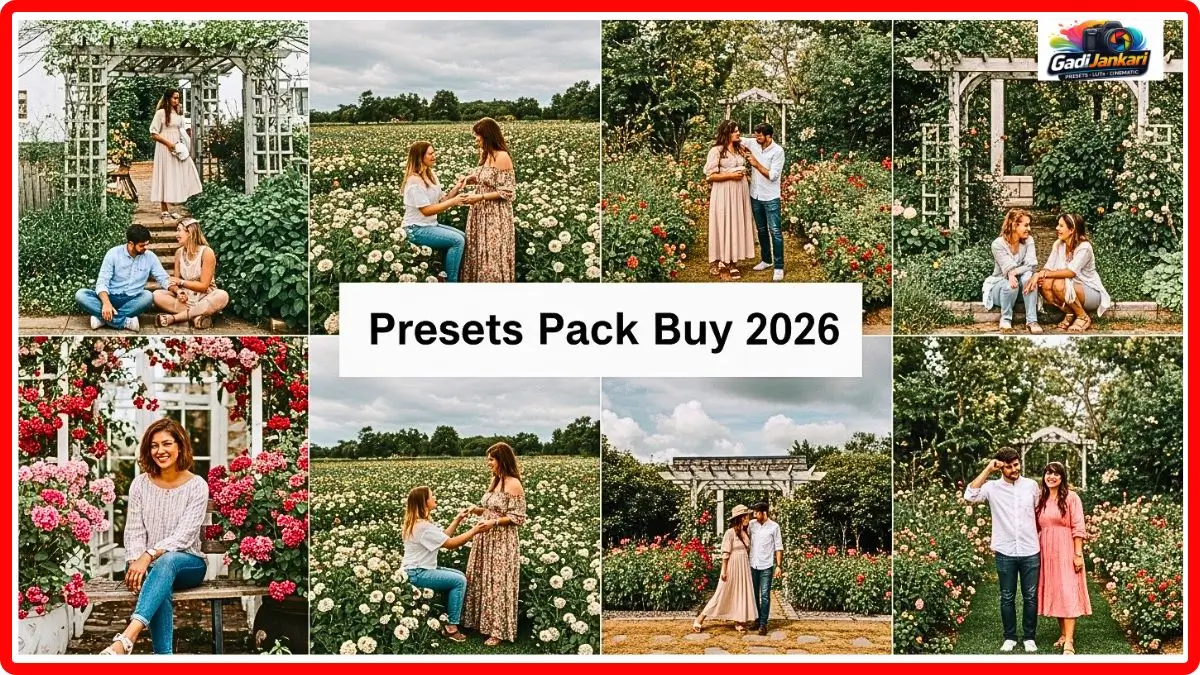
I want to share what specifically changed in my photos because the transformation is not just about making things look pretty. My jasmine bush photos used to come out with blown-out white petals and dark green leaves that looked almost black. After applying the garden photos preset, the whites became creamy and soft while the greens shifted to a rich emerald tone that actually matched what my eyes saw in real life.
My rose macro shots were another revelation. The reds used to look oversaturated and artificial on my Samsung Galaxy S23. With this preset applied, the reds became deeper and more nuanced, almost like the texture of dried rose petals pressed into a journal. Friends who follow me on Instagram started saving these photos,s and two of them even printed my edited garden images to hang in their living rooms. That felt incredibly rewarding.
Exactly How I Apply This Preset On Every Garden Photo
The application process is remarkably simple and takes less than a minute per photo. Here is my exact workflow that I follow every single time.
- Download the DNG and XMP file from the product page
- Open Adobe Lightroom on desktop or mobile
- Import the preset file through the Presets panel
- Open your garden photo in the Develop module
- Click the preset name and watch the transformation happen instantly
- Adjust the exposure slider slightly if your photo was taken in harsh sunlight
- Fine-tune the temperature slider toward warmth if shooting during overcast conditions
- Export the final image at full resolution
That is literally everything I do. No complicated masking, no manual color channel adjustments, no hours of editing. The preset handles the heavy lifting, and I just make minor tweaks based on the lighting conditions of that particular shot.
Why This Preset Works Better On Garden And Nature Photos Specifically
I tried applying this same preset to my indoor food photos and portrait shots out of curiosity. The results were decent but not magical. The reason is simple. This garden photography preset was engineered specifically for the color palette found in outdoor botanical settings. The algorithm targets the exact wavelength ranges of chlorophyll greens, petal pigments, and natural sunlight warmth.
Generic photo presets try to work on everything and end up excelling at nothing. This one does one thing extraordinarily well. It turns garden and nature photos into fine art pieces. The creators clearly spent time photographing actual gardens in different seasons and lighting conditions before calibrating the color science. That focused approach is exactly why the results feel so authentic and painterly rather than filtered or fake.
The Premium Pack And Whether The Upgrade Is Worth It
After falling in love with the preset, I eventually purchased the full premium pack for ₹1200. It contains 40 additional presets covering different artistic styles,s including impressionist, watercolor wash, vintage botanical, moody forest, and bright floral. Each style has multiple variations for different lighting conditions.
Was the upgrade worth it for me personally? Absolutely yes. The preset gave me one incredible look, ok, but the full garden photos preset pack gave me creative range. Now I can match the editing style to the mood of the garden that day. Overcast mornings get the moody forest treatment. Bright sunny afternoons get the impressionist look. Golden hour shots get the vintage botanical style. If you are someone who photographs plants and gardens regularly, the full pack pays for itself in the creative possibilities it opens up.
Who Will Benefit Most From Downloading This Preset
This preset is perfect for home gardeners who love photographing their plants and sharing them on social media. It works beautifully for botanical illustrators looking for reference images with an artistic quality. Nursery and plant shop owners who need attractive product photos for their websites and Instagram pages will find this incredibly useful.
Garden bloggers and YouTube creators covering gardening topics can elevate their thumbnail and content quality significantly. Even professional photographers who occasionally shoot outdoor botanical sessions will appreciate having this tool in their editing toolkit. The version alone is enough to transform your garden photography if you are not ready for the full investment yet.
Current Availability And Pack Details
- Last Updated June 2026
- Released 2026
- Compatible With Lightroom Classic, Lightroom CC, Lightroom Mobile
- Preset Format XMP and DNG
- Premium Pack Price ₹1200
- Premium Pack Total Presets 40 Plus
- License Personal and Commercial Use
- Updates Lifetime for Premium Buyers
Frequently Asked Questions
Do I Need Paid Lightroomtoo Usethee Prese?
No, you do not. The DNG file works perfectly with the Lightroom Mobile app available on both Android and iPhone. You can download the app at no cost from the Play Store or App Store and start using the preset immediately without any subscription.
Will This Preset Work On Photos Taken With A Phone Camera
Yes, it works exceptionally well with phone camera photos. I personally use it on images shot with my Samsung Galaxy S2, S3, and the results are stunning every time. Friends of mine have tested it on iPhone, OnePlus, and Pixel devices with equally impressive outcomes.
Can I Use The Edited Photos For My Plant Selling Business
Absolutely. Both the premium presets come with a license that covers personal and commercial usage. You can use the edited images on your business website, social media pages, product listings, and marketing materials without any restrictions.
Does The Preset Work On Photos Other Than Garden And Nature
It can be applied to any photo, ly but the best results come from outdoor botanical and garden images. The color science is specifically tuned for plant greens, flower pigments, and natural outdoor lighting. Indoor or portrait photos will look decent, but not as magical as garden shots.
How Often Does The Premium Pack Receive New Preset Additions
The creators have been adding new seasonal presets roughly every quarter. Premium buyers receive lifetime updates via email whenever new presets are added to the collection. Since the initial release, there have already been two updates, drops adding 8 new presets total.